Hey everyone, Ben here. I’ve been working on a game for the TI-99/4A, and sprite editing for the TMS9918 has been one of the bigger early challenges. I wanted something that handled 8x8 and 16x16 sprites properly, stacking, animations with realistic frame timing, and clean exports to assembly data.
Existing tools didn’t quite fit my needs but I didn't exactly want to spend a week or two of effort into manually coding a tool, so I spent a couple of focused days iterating with Grok on a dedicated sprite editor.
The Tool
You can find it here: https://github.com/benthepoet/tms9918-sprite-editor
It’s written in Python with Tkinter — no extra dependencies. Main features:
- Full TMS9918 16-color palette + transparency.
- Toggle between 8x8 and 16x16 modes.
- Sprite stacking with live composite preview.
- Animation system with named sequences and per-frame durations.
- Multiple assembly export formats tailored for TI-99 (including frame directories with labels).
- Project save/load in JSON.
Demo (making a simple sprite animation)
Installed Grok Build and it's pretty amazing at iterating. It would've taken me a lot longer to crank out a tool like this unassisted. So here's a video of where my TMS9918 sprite editor stands now. Full support for animations.https://t.co/74It8kO019 pic.twitter.com/DE8r9kLh7q
— Ben's Homebrew (@BenHomebrew) June 17, 2026
I’ve already been using it to prototype character animations and enemy sprites. Being able to quickly iterate and copy ready-to-use BYTE data straight into my assembly files has been a big time-saver.
Built with Grok
Grok Build made this whole thing possible in just a couple of days. I started by describing the overall vision — a desktop sprite editor tailored specifically for the TMS9918 with proper 8x8/16x16 support, stacking, animation timelines, and TI-99 assembly exports.
First iteration (after just a couple of minutes of prompting):
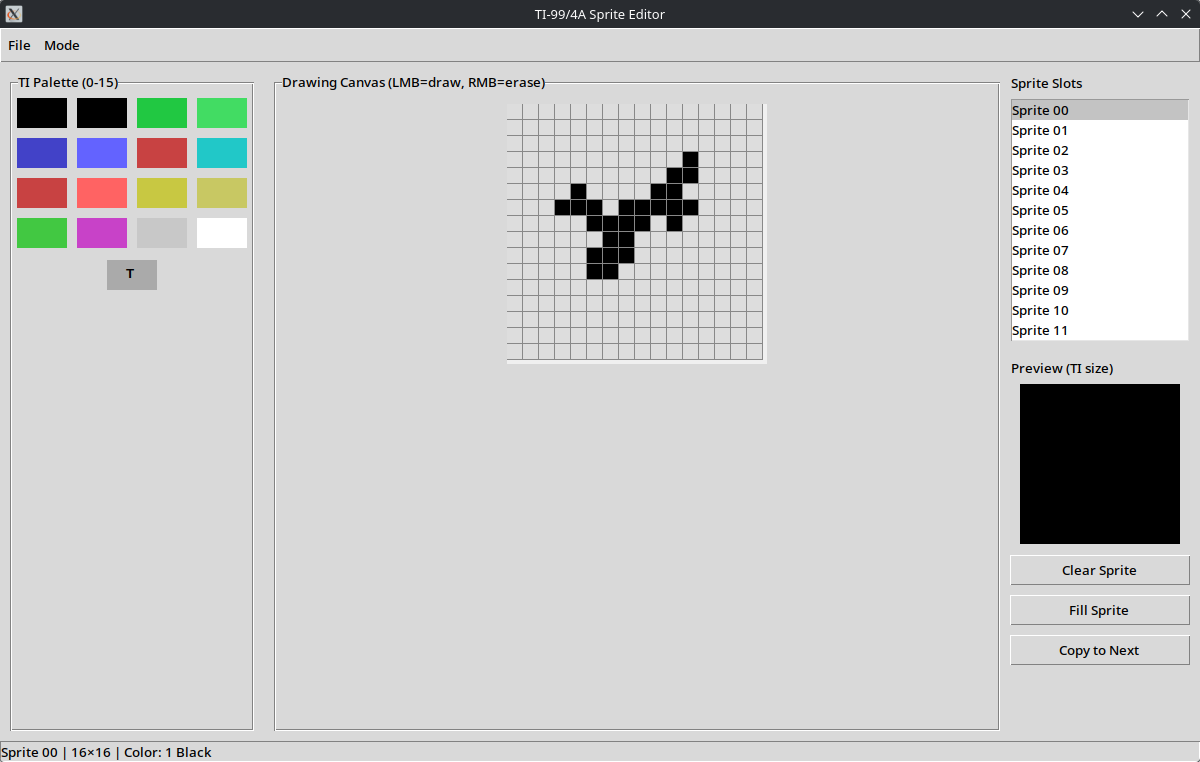
It was already functional but had layout issues, basic controls, and missing polish.
From there it was a smooth iterative process: I’d point out issues (layout quirks, timing bugs, export format tweaks, missing features like frame editing, etc.), and Grok would quickly generate fixes or improvements.
Final version (after a couple of focused days of back-and-forth):
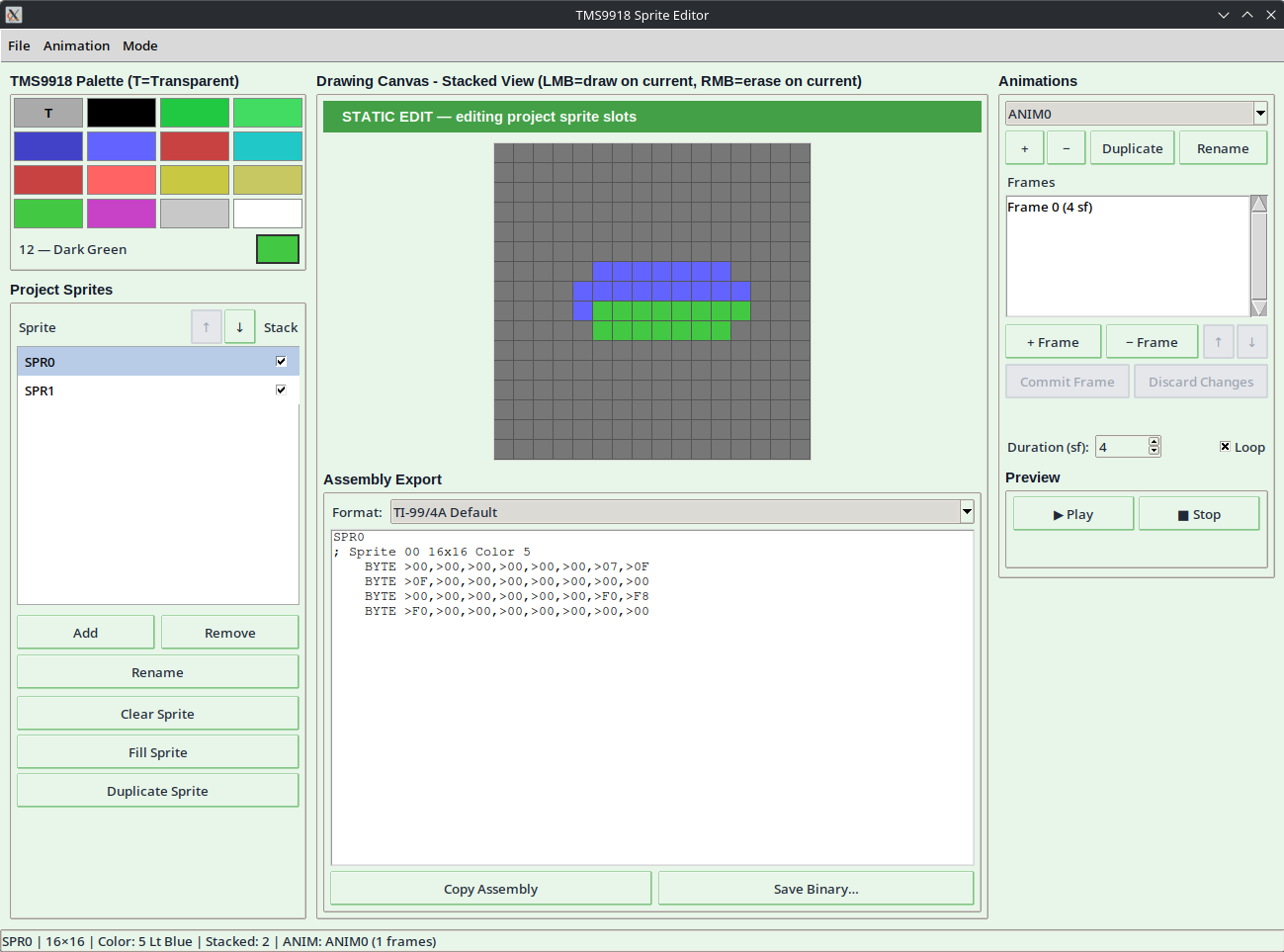
Grok Build was super easy to use. It was quick to address feedback when I would point out issues, and it handled a lot of the Tkinter boilerplate while I focused on the retro-specific logic like sprite pattern ordering and hardware-timed animation previews. This back-and-forth felt very natural and let me stay in the flow instead of getting bogged down in UI scaffolding.
If you’re doing any TMS9918-based development (TI-99, MSX, ColecoVision, etc.), feel free to try it out or fork it. The export templates are in the formats/ directory and easy to extend.
What’s Next
I’ll keep refining my workflow with this editor as the game progresses. Additionally I'm going to need to build a world/tileset editor next so stay tuned for that. In the meantime, back to coding the adventure itself.
What tools do you use for sprites and animation in your retro projects? Let me know in the comments or on X @BenHomebrew.